Blog > Practice Management > EHR for Small Behavioral Health Practices: What to Look for in 2026
EHR for Small Behavioral Health Practices: What to Look for in 2026

Last Updated: September 14, 2026

What You'll Learn
- Which EHR functionalities are must-haves for small behavioral health practices in 2026.
- Practical questions to ask when comparing systems to find the best fit for your practice.
- What EHR software actually costs for a small or solo behavioral health practice, tier by tier.
- Best practices for rolling out a new EHR to ensure a smooth, successful transition.
- How the right EHR protects sensitive data (HIPAA/42 CFR Part 2), scales as you grow, and delivers ROI.
Contents
- Why EHRs Matter for Small Behavioral Health Practices
- Solo vs Small Group Practice: Which EHR Model Fits You?
- Top 10 Features to Look for in 2026
- EHR vs EMR: What's the Difference?
- Evaluating EHR for Small Practices: Questions to Ask
- What Does an EHR Cost for a Small Behavioral Health Practice?
- Compliance and Security
- Best Practices for Implementation
- How to Prepare Your Team for a New EHR
- FAQ: EHRs for Small Behavioral Health Practices
- Choosing the Right EHR for Long-Term Success
Small behavioral health practices have different technology needs than hospitals and large health systems. Solo therapists and small groups typically need fast documentation, simple scheduling, streamlined billing, secure patient communication, and compliance tools without paying for features designed for a large medical organization.
In this guide, we’ll look at what to prioritize when comparing EHR and EMR systems for small practices, which features have the biggest impact on clinical efficiency and practice operations, and what current pricing can look like before you ever get on a sales call.
Why EHRs Matter for Small Behavioral Health Practices
EHRs are now essential in behavioral health care, even for solo practitioners and small group practices. These practice management systems serve as a digital backbone for modern clinics, centralizing patient records, automating routine tasks, and lowering the administrative overhead that often burdens clinicians. Moving records off paper typically cuts spending on physical storage, printing, and postage, and lets many small practices run with fewer administrative staff than a paper-based office would need. That drop in overhead tends to show up in a few specific places:
- Office space for paper storage: Fewer filing cabinets and less square footage set aside for storing charts once records move into the EHR.
- Printing and paperwork supplies: Less spent on paper, toner, and printed forms as intake and documentation shift online.
- Postage costs: No more mailing intake paperwork, records requests, or client correspondence.
- Administrative staff and hours: Tasks that used to require a dedicated employee, or extra hours from a solo therapist handling paperwork after sessions, get simplified or handled by the EHR itself.
An efficient EHR for small practices can help:
- Reduce time spent on documentation: Menu-driven templates and auto-populating fields cut note-writing time dramatically.
- Improve billing accuracy: Integrated coding support helps capture the right CPT and E/M codes, reducing denials and underbilling.
- Enhance care coordination: Shared notes, secure messaging, and structured data make collaboration easier within multidisciplinary teams.
- Maintain regulatory compliance: Built-in alerts, access controls, and audit trails help keep practices aligned with HIPAA, CMS, and state-specific rules.
- Prevent common documentation errors: Automatic date and time stamps, built-in diagnostic code lookups, and structured, spell-checked text fields catch mistakes before they reach a chart or a claim.
- Enable telehealth and remote care: EHRs with integrated video platforms make virtual visits seamless.
When documentation can be completed in minutes with click-based narrative tools, platforms like ICANotes help clinicians spend less time typing and more time engaging with patients. A well-designed behavioral health EHR isn’t just a digital filing cabinet; it’s the engine of your practice.
Related: Admin Burden in Behavioral Health: How Clinicians Are Getting Time Back
Solo vs. Small Group Practices: Which EHR Model Fits You?
Not every small practice looks the same, and the best EHR for a small practice depends heavily on which model you run.
- Solo practitioners typically want a lean, single-user setup: fast documentation, simple scheduling, and billing that doesn’t require a dedicated office manager. A notes-only or part-time plan is often enough for a solo caseload.
- Small group practices (roughly two to ten clinicians) need the same core charting tools plus shared scheduling, role-based permissions, and reporting that lets an owner or office manager see productivity across the team.
Whichever model describes your practice, look for a vendor with tiered plans, so an EHR for private practice today can flex into a small group practice tool later without a full system change.

Top 10 Features to Look for in 2026
Many small behavioral health practices look for click-to-document workflows, built-in telehealth, and automated coding tools — features ICANotes was designed to offer out of the box, supporting prescribers and non-prescribers with intuitive, role-based functionality. Here’s what to look for in 2026:

1. Behavioral Health-Specific Templates
General-purpose EHRs often miss the nuances of mental health treatment. Look for systems offering built-in templates for biopsychosocial assessments, progress notes, and discharge summaries that reflect DSM-5/ICD-10 diagnostic criteria and support treatment plans for conditions like depression, anxiety, PTSD, and substance use disorders.
2. Click-to-Document Functionality
Structured, menu-driven charting lets clinicians build a complete, defensible note by selecting findings rather than typing free text — the single biggest lever most small practices have for cutting documentation time without sacrificing note quality.
3. e-Prescribing for Prescribers
If you prescribe medication, you’ll need e-Prescribing tools. These features typically come at a higher price point due to DEA compliance, patient safety checks, and pharmacy integration. Look for systems that support real-time medication history, prescription tracking, PDMP integration, and lab orders. In ICANotes, the Prescribing plan includes these features to support clinical decisions and streamline workflow.
4. Integrated Telehealth
Telehealth is no longer optional. Your EHR should support HIPAA-compliant video visits with real-time charting, screen sharing, session timers, and automatic reminders, ideally launched directly from the schedule or patient chart.
5. Patient Portal Access
An easy-to-use patient portal lets clients complete intake forms, message their provider, view visit summaries, make payments, and manage appointments in one secure place. The strongest portals also support secure document sharing and e-signatures, so clients can finish paperwork from a phone before their first visit instead of filling out forms in a waiting room.
6. Automated Billing and Coding Tools
Billing is a pain point for many small practices. EHRs with built-in coding guidance help clinicians assign the correct CPT and E/M codes, reducing denials. Some systems also integrate with clearinghouses or offer revenue cycle management (RCM) as an optional service for practices that would rather outsource claims follow-up than staff for it.
7. Lab Integrations
For practices that order or review laboratory tests, integrated lab functionality can eliminate manual data entry and keep important clinical information inside the patient record. Look for an EHR that lets providers submit lab orders electronically, receive results directly in the chart, track outstanding orders, and review results alongside medications, diagnoses, and treatment history. This is especially valuable for psychiatrists and other prescribing clinicians who monitor labs as part of medication management.
8. Outcome Tracking and Reporting
Demonstrating clinical progress matters more every year for payers and value-based care initiatives. Choose an EHR with access to standardized screening tools (PHQ-9, GAD-7, ASRS) and the ability to generate outcome reports for individual patients and across your practice.
9. Online Self-Booking and Appointment Reminders
Many small practices operate without front-desk staff, so a way for clients to schedule, reschedule, or cancel appointments from your website is crucial. Look for integrated self-booking, automated email/text reminders, calendar integrations, recurring appointment series for standing weekly sessions, provider availability rules, and a branded scheduling page.
10. AI-Assisted Documentation
A growing number of behavioral health EHRs now offer an AI scribe: software that listens during a session, with client consent, and drafts a structured note automatically. ICANotes AI Scribe listens to a session and generates a note for the clinician to review and finalize, available as an add-on for practices that want to cut typing time further — useful to budget for separately from your base plan (see pricing below).
Features Many Small Practices Don't Need
Not every feature on a vendor’s checklist earns its price tag. Practices staffed only by therapists often don’t need e-prescribing, controlled-substance workflows, or general-medicine lab integrations built for primary care. Adding modules you’ll never touch slows down training and clutters the interface. List the features your caseload actually requires and treat everything else as optional.
Use our calculator to learn what the ROI of using ICANotes could be for your business.
EHR vs EMR: What's the Difference?
The terms EHR (Electronic Health Record) and EMR (Electronic Medical Record) are often used interchangeably, but there are real differences:
| Comparison | EMR | EHR |
|---|---|---|
| Primary Focus | Clinical data and internal documentation | Comprehensive practice operations |
| Typically Includes | Charting only | Charting, billing, scheduling, telehealth, and reporting |
| Best Fit For | A single clinical function | Running the whole practice on one platform |
In 2026, most modern software blurs the lines, but for small practices, an EHR is generally the better investment for holistic functionality. Vendors also use the terms loosely in marketing copy, so what matters more than the label is whether the system was built for behavioral health documentation — a general-medicine EMR rarely includes the treatment plans, biopsychosocial assessments, and DSM-5-aligned templates that mental health charting requires.
Related: EHR vs EMR: What's the Difference?
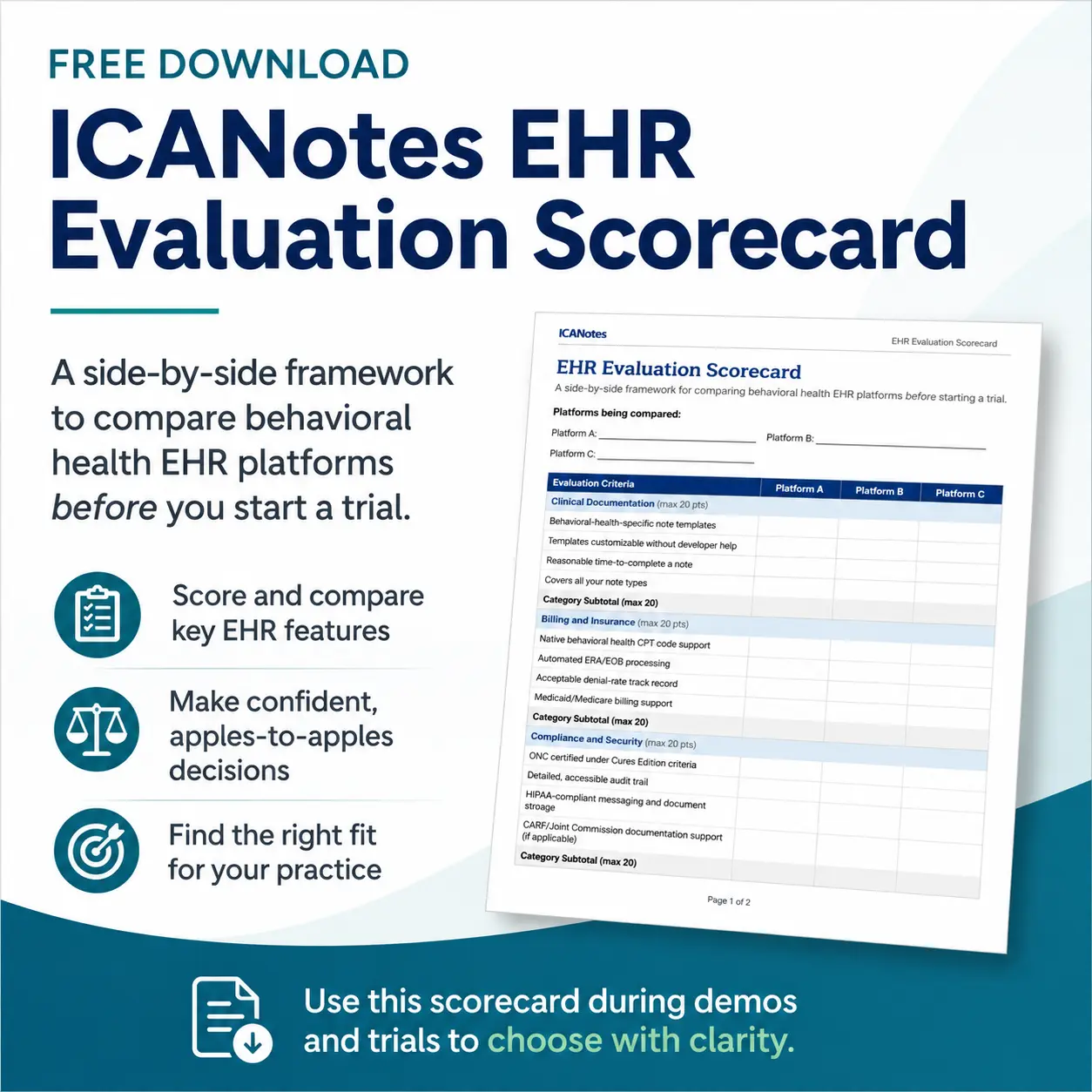
Compare Behavioral Health EHRs With Confidence
Choosing the right EHR for a small behavioral health practice means looking beyond the feature list. Use our free Behavioral Health EHR Evaluation Scorecard to compare vendors side by side and evaluate the factors that matter most to your clinical and operational workflows.
Download the Free EHR Evaluation Scorecard
Complete the form below to get your copy.
Evaluating EHRs for Small Practices: Questions to Ask
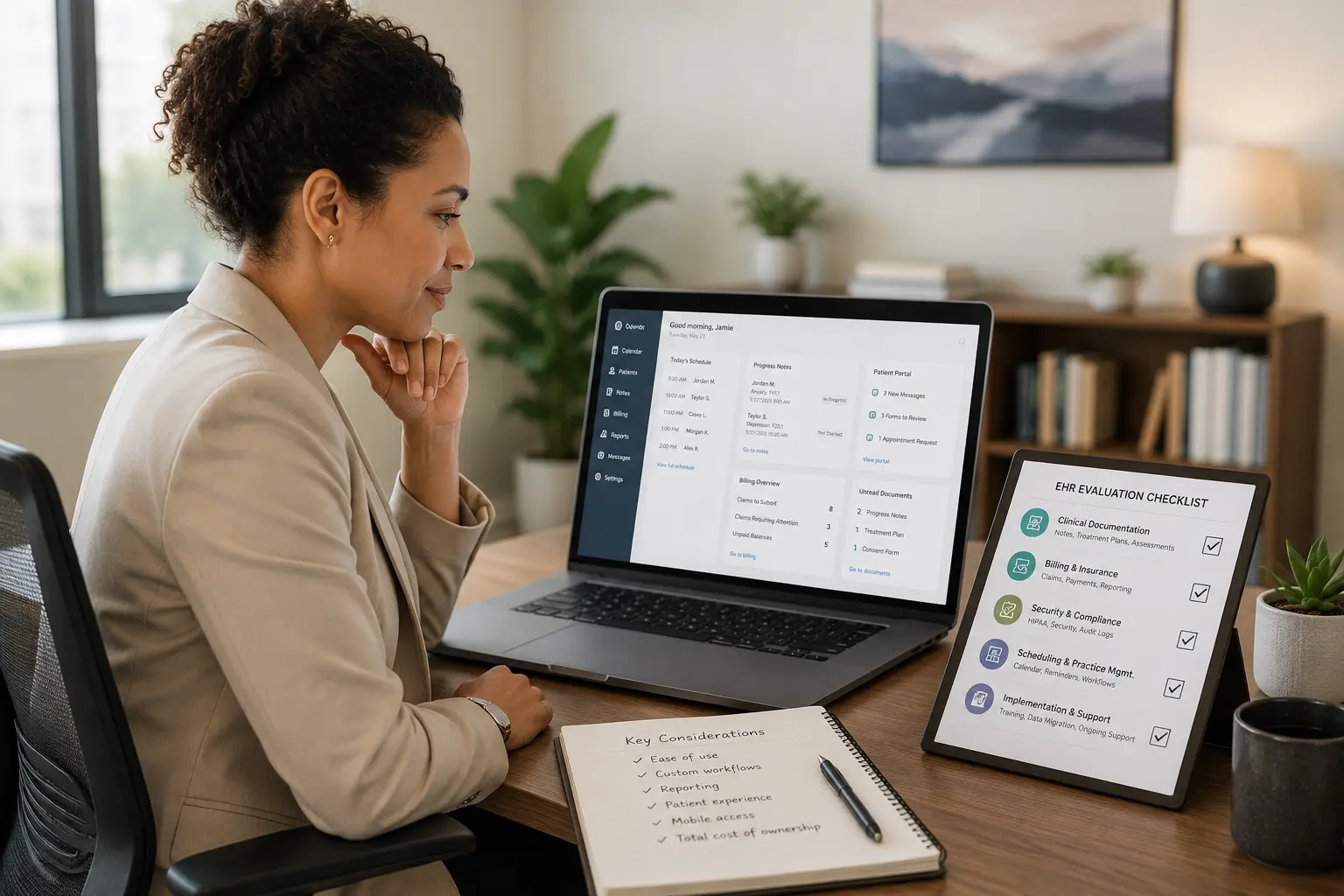
Before choosing a platform, evaluate how well an EHR aligns with your practice’s goals, workflows, and budget. Look for EHRs designed by clinicians for behavioral health — not retrofitted afterward.

Practical questions to guide your decision-making:
- Is this system specifically built for behavioral health? Look for software designed with mental health workflows in mind, not just adapted from general medical EHRs.
- Does it support both prescribers and non-prescribers? Your team may include therapists, social workers, psychologists, and psychiatrists. Choose a system with tiered functionality for each role.
- How customizable are the templates and forms? Can you modify note templates, intake forms, or treatment plans to match how your clinicians work?
- Can I integrate my current billing or clearinghouse tools? Seamless data flow prevents costly errors and duplicate entries.
- What does onboarding and training look like? Live support, video tutorials, one-on-one training — make sure your team can get up and running without frustration.
- Can I try the EHR before committing to a contract? Yes — ICANotes offers a free, no-credit-card 30-day trial so you can test the platform before signing anything.
- Have I tested the workflow myself, not just watched a demo? A sales walkthrough shows the best parts of a system. A hands-on trial shows how it feels to write a real note, book a real appointment, or submit a real claim.
- What kind of ongoing support is available? Most small practices don’t have an in-house IT department, so plan on leaning on your vendor well past onboarding week.
- Does it include compliance safeguards? Confirm HIPAA and 42 CFR Part 2 support and secure, role-based access controls. If your practice is CARF-accredited or pursuing accreditation, also ask whether the vendor’s documentation and audit-trail tools map to CARF’s record-keeping standards — most general EHR marketing doesn’t address this directly, so it’s worth asking on the demo call.
What Does an EHR Cost for a Small Behavioral Health Practice?
Most behavioral health EHRs price per provider, per month, and split pricing by both plan type and clinical role. Here’s ICANotes’ current published pricing as a real-world example of that range:
| Plan | Part-Time | Full-Time |
|---|---|---|
|
Notes Only
Non-prescribers
|
$35/month | $55/month |
|
Non-Prescribing
Includes scheduling, messaging, patient portal, and billing
|
$45/month | $75/month |
|
Prescribing
Includes e-prescribing, medication management, and lab orders
|
$138/month | $213/month |
Prescribing plans carry a one-time $99 activation fee. Optional add-ons include the ICANotes AI Scribe ($49/month per user) and telehealth ($20/month per user). Subscriptions run on a 12-month commitment.
A solo therapist and a psychiatrist on the same platform end up paying very different amounts because they need different feature sets. When comparing an affordable EHR for small practices against a pricier one, look at total cost — subscription plus activation fees, add-ons, training, and support — rather than the headline monthly number alone.
Are Free EHRs a Good Fit for Small Behavioral Health Practices?
A free EHR can look tempting for a practice watching every dollar, but the tradeoffs usually show up quickly:
| Comparison | Free EHR | Paid, Purpose-Built EHR |
|---|---|---|
| Behavioral Health Templates | Rarely included | Built around DSM-5/ICD-10 workflows |
| Support | Little to none | Live phone and chat support |
| Ads / Upsell Pressure | Common | None |
| Client / Note Limits | Often capped | Scales with your plan |
| Total Cost Over a Year | Hidden in lost time on workarounds | Predictable, transparent pricing tiers |
Most small practices find that a modestly priced, purpose-built platform costs less over a year than the hours lost to workarounds on a free one.
Other Cost Considerations
- Implementation and onboarding fees: Ask any vendor for a full quote before you sign, not just the monthly subscription number. Some charge separately for configuration, initial training, and go-live support.
- Data migration and switching costs: Ask exactly what the vendor migrates for you (demographics, active treatment plans, appointment history, billing records) versus what you’ll need to export or re-enter yourself.
- Cloud vs. on-premise deployment: Cloud-based EHRs usually mean lower upfront cost, automatic updates, and no in-house server to maintain — removing a layer of technical overhead most small practices don’t have staff for.
- Scalability: Ask specifically whether you can add a new clinician, location, or prescribing role on your existing plan rather than migrating to a different product as you grow.
Compliance and Security
Behavioral health records contain some of the most sensitive data in healthcare. Make sure your system supports:
- HIPAA compliance
- HITECH and Cures Act requirements
- Role-based access control
- Audit trails and user activity logging
- Regular security updates and encryption standards.
If your practice deals with substance use treatment, make sure the EHR is 42 CFR Part 2 compliant as well. If you’re CARF-accredited (or working toward it), also check that the system’s documentation structure and audit trail can produce what a CARF surveyor asks for — that’s a distinct requirement from HIPAA and one general medical EHRs frequently overlook.
Best Practices for Implementation
Implementing a new EHR system can be transformative, but it also comes with challenges. Here’s how to set your small practice up for long-term success:
- Start with a pilot phase: Launch with a limited group of clinicians or a subset of patients to surface technical or workflow issues early.
- Train your team: Make sure clinicians, front-desk staff, and billers all know how to use the system; consider role-specific training sessions.
- Transfer data securely: Confirm the vendor offers secure migration services and clarify exactly what’s included. Keep backup copies of original records during the transition.
- Set realistic goals: Avoid implementing every feature at once — start with documentation and scheduling, then add billing, telehealth, and reporting.
- Request regular check-ins: Especially in the first 90 days, to troubleshoot issues and get strategic advice.
- Monitor and adjust: Track documentation time, billing turnaround, and missed appointments after go-live, and refine workflows accordingly.
- Keep communication open: A feedback loop keeps morale high during what can be a big adjustment.

How to Prepare Your Team for a New EHR
Implementing a new EHR system is not just a technical shift — it’s a cultural one. Here are ways to prepare your staff for success:
1. Involve Staff Early
Invite feedback from both clinical and administrative teams when selecting the system. Early buy-in makes training and adoption smoother.
2. Create EHR Champions
Designate one or two team members as internal experts. They can assist peers during and after implementation, reducing reliance on vendor support.
3. Customize Workflows Together
Use onboarding as a chance to rethink how your team operates. Map out current workflows and improve them using EHR tools.
4. Provide Ongoing Education
Training shouldn’t stop after going live. Schedule refreshers or tips-and-tricks sessions after go-live to ensure consistent usage.
5. Celebrate Milestones
Recognize small wins, such as the first successful billing cycle or fully digital note submission. It helps build confidence and morale.
Related: The 8 Best EHRs for Mental Health Private Practices in 2026
FAQs About EHR for Small Behavioral Health Practices
How long does it take to fully implement an EHR system?
+
What if I'm a solo practitioner — do I still need an EHR?
+
How much does an EHR cost for a small behavioral health practice?
+
Can I access my EHR from multiple devices or locations?
+
Will using an EHR help with insurance reimbursements?
+
How do I ensure data security in a cloud-based EHR?
+
What happens if I decide to change EHR vendors in the future?
+
What does the ICANotes AI Scribe do, and is it included in every plan?
+
What features should a behavioral health EHR include for small practices?
+
Do small behavioral health practices need a cloud-based EHR?
+
Are free EHR options a good fit for small behavioral health practices?
+
Choosing the Right EHR for Long-Term Success
For small behavioral health practices, selecting the right EHR in 2026 is more than a technical decision — it’s a strategic one. The right system streamlines operations, reduces administrative burden, improves patient care, and supports practice growth.
Whether you're switching from paper records, upgrading from a basic EMR, or looking for better documentation tools, prioritize platforms that are:
- Built for behavioral health
- Easy to use and customize
- Scalable as your practice grows
- Transparent in pricing and support
Among the best EHR systems for small practices, the difference usually comes down to fit for behavioral health work, not the length of the feature list. Take the time to compare options, ask the right questions, and pick a system that works as hard as you do.
ICANotes offers a free, no-credit-card 30-day trial that lets you explore features, test your typical workflows, and see how the system fits your needs. You can also book a live demo to get a guided walkthrough and ask questions before deciding.
See How ICANotes Fits Your Small Behavioral Health Practice
The best way to evaluate an EHR is to use it in the workflows that matter most to your practice. Start a free 30-day trial of ICANotes and explore behavioral health documentation, scheduling, billing, patient engagement tools, and other features designed for solo clinicians and small group practices.
Whether you're choosing your first EHR or replacing a system that no longer fits, a hands-on trial can help you make a more confident decision.
Start Your Free 30-Day Trial
Complete the form below to get started.
Recent Posts




Sanjiv Patel
Vice President of Product
Sanjiv Patel is Vice President of Product at ICANotes, where he leads the strategic development of behavioral health EHR and billing solutions. With over 20 years of experience in healthcare technology, Sanjiv has spearheaded major product initiatives that enhance clinical efficiency and provider outcomes. He holds CSM and CSPO certifications and is a graduate of Drexel University.