Blog > Practice Management >Real Cost of Switching EHR Software (And How to Minimize It)
The Real Cost of Switching EHR Software (And How to Minimize It)
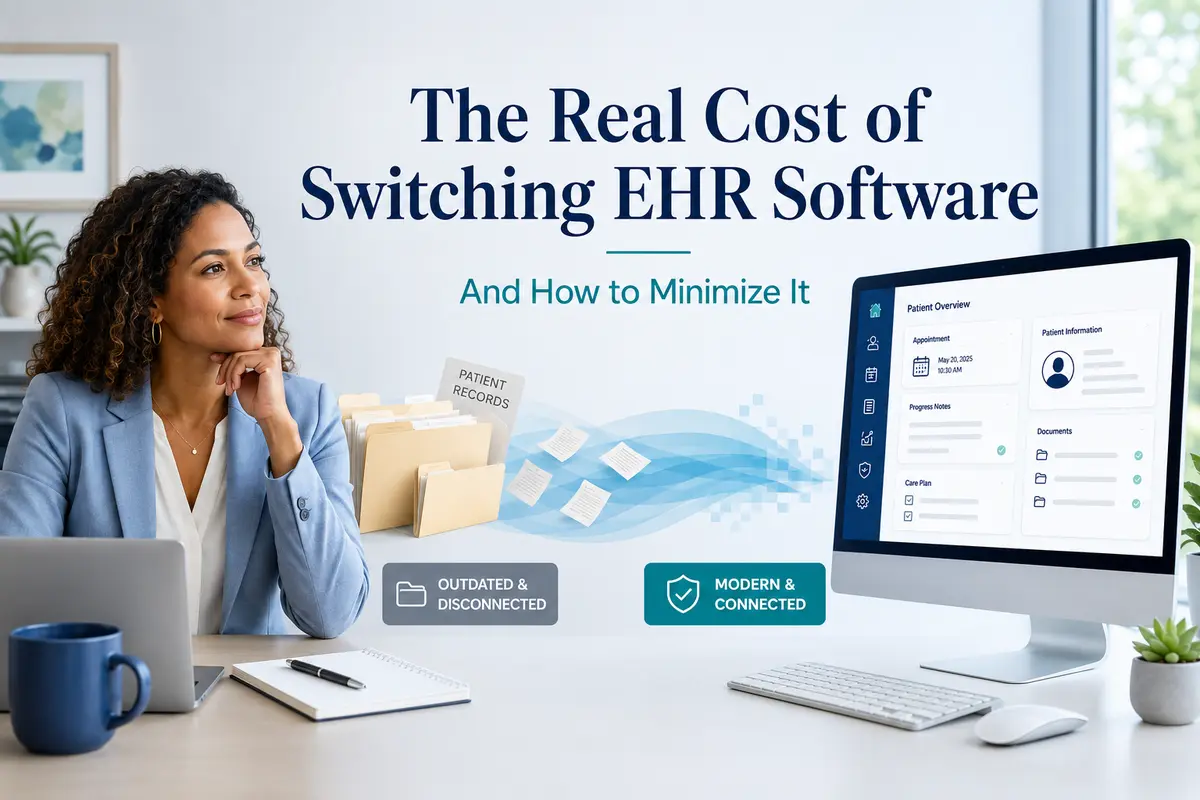
Switching EHR software can feel expensive, risky, and disruptive, especially for behavioral health practices managing clinical documentation, billing continuity, compliance requirements, and staff training. This guide breaks down the real cost of switching EHR software, including financial, operational, clinical, and revenue cycle considerations, while showing how the right migration plan can minimize disruption. Learn what to expect during an EHR data migration, how to protect patient records and in-flight claims, and how to decide whether now is the right time to move to a behavioral health EHR built for your practice’s needs.


Last Updated: July 14, 2026

What You'll Learn
- What switching EHR software actually costs, including setup fees, data migration, staff training time, and temporary productivity loss.
- Why behavioral health practices often delay switching, even when their current EHR is slowing them down.
- How EHR migration can affect clinical documentation, historical notes, active treatment plans, billing continuity, and compliance.
- What hidden costs come from staying on the wrong EHR, including documentation burden, claim denials, workarounds, and staff frustration.
- How to minimize switching costs before, during, and after your EHR transition.
- What good migration and onboarding support should look like when evaluating a new behavioral health EHR vendor.
Quick Answer
Switching behavioral health EHR software typically costs a few thousand dollars in direct setup and data-migration fees for a small practice, plus three to ten weeks of transition time and a temporary dip in productivity. For most practices, the bigger number isn’t the cost of switching — it’s the ongoing cost of staying on a system that was never built for behavioral health.
Most behavioral health providers who are unhappy with their EHR don’t switch. They complain about it, build workarounds around it, tell colleagues to avoid it — and then renew the contract anyway. Not because the system is working, but because switching feels expensive, risky, and disruptive in ways that are hard to quantify and easy to postpone.
That hesitation is reasonable. Migrating years of clinical documentation, billing history, and active treatment plans into a new system is real work, and it touches the parts of your practice that can least afford to break: client safety, revenue, and compliance. The practices that switch successfully don’t do it by ignoring those risks — they do it by pricing them out in advance.
This piece is an honest accounting of what switching an EHR actually costs, what it doesn’t, and how practices that have made the move tend to approach the process. No platform makes switching free. But the costs are more predictable — and more manageable — than the anxiety around them suggests.
Why Practices Stay on the Wrong EHR (Even When They Know It's Not Working)
If you’ve outgrown your current system, or it was never the right fit to begin with, the reasons you haven’t switched yet are probably some combination of the following. They’re worth naming, because they’re legitimate — not excuses to talk yourself out of a change that makes sense.
- Sunk cost. You’ve spent years customizing templates, training staff, and learning every workaround for the system’s quirks. Walking away from that investment feels wasteful, even when the investment is what’s currently costing you time every day.
- Data migration fear. Years of progress notes, assessments, and treatment plans live in your current system. The idea of that information getting lost, garbled, or inaccessible during a transition is genuinely frightening — for clinical and liability reasons, not just convenience.
- Staff retraining. Your team already knows how to use the system you have, even if they don’t love it. A new platform means a learning curve, and behavioral health practices rarely have slack capacity to absorb a temporary productivity dip.
- Billing continuity risk. Claims in process, authorizations on file, and payer relationships built over years feel too fragile to disrupt mid-stream — especially for practices that depend heavily on Medicaid or Medicare reimbursement.
- Timing. There’s never an obviously “safe” month to take on a system change. Caseloads stay full, audits happen, staff turn over, and the right window always seems just out of reach.
These concerns are real. The rest of this piece treats them that way — by pricing them out rather than dismissing them.
Free Download
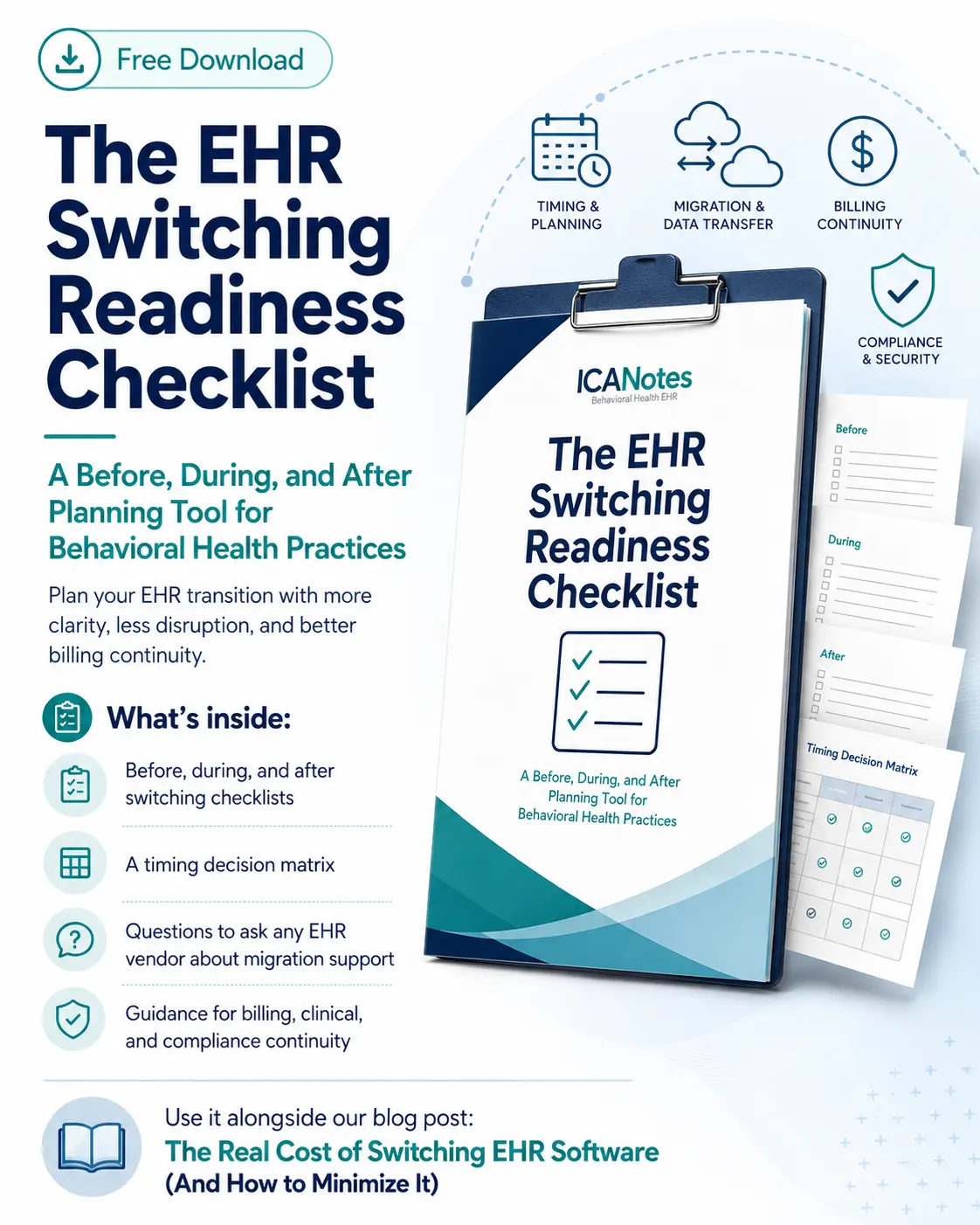
Get the EHR Switching Readiness Checklist
Use this before, during, and after planning tool to organize your EHR transition, reduce disruption, protect billing continuity, and ask the right migration-support questions before you switch.
What’s inside:
- Before, during, and after switching checklists
- A timing decision matrix
- Questions to ask any EHR vendor about migration support
- Guidance for billing, clinical, and compliance continuity
The Real Costs of Switching EHR Software: An Honest Breakdown
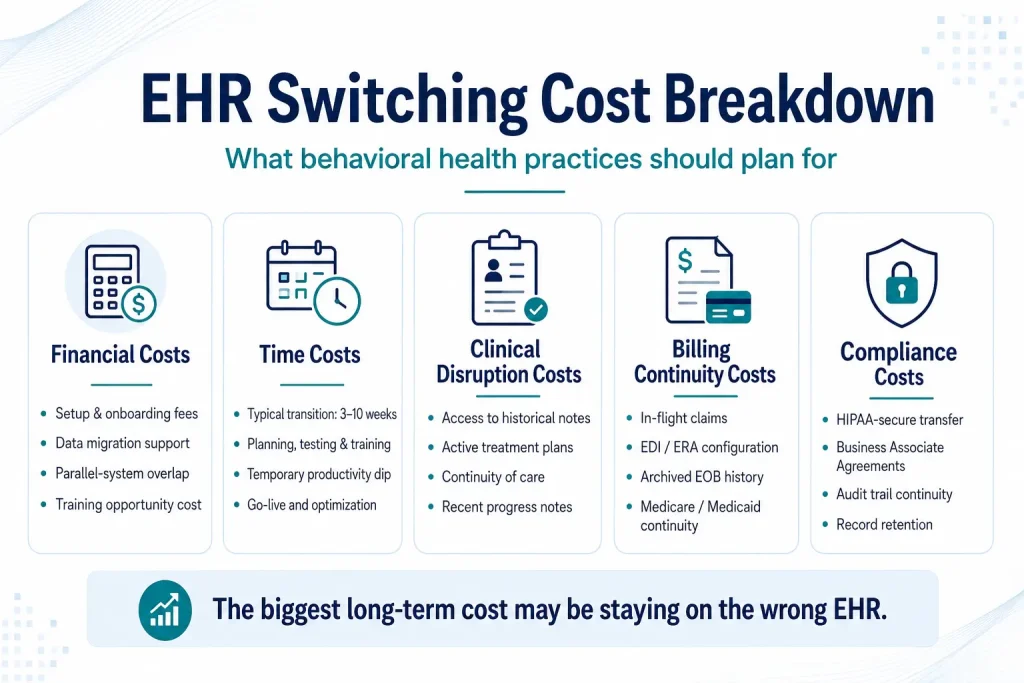
Switching EHR software is rarely defined by one single expense. The real cost usually comes from a combination of direct vendor fees, staff time, temporary workflow disruption, billing safeguards, and the work required to preserve clinical and compliance continuity. Looking at each category separately can help your practice build a realistic transition plan instead of relying on vague estimates or worst-case assumptions.
Financial Costs
| Cost Type | What It Covers | Realistic Range for a Small-to-Midsize BH Practice |
|---|---|---|
| Implementation & setup fees | Vendor configuration, initial account setup, template build-out | Often bundled into onboarding; cloud-based behavioral health platforms commonly charge in the low hundreds to low thousands of dollars — not the tens of thousands sometimes cited in general healthcare IT cost guides |
| Data migration | Exporting, mapping, and importing clinical and billing records | Varies by data volume and format; many vendors include migration support in onboarding rather than billing it separately |
| Overlap period | Running old and new systems concurrently to cross-check billing | A 2–4 week parallel run is a common benchmark for catching discrepancies before retiring the legacy system |
| Staff training time | Hours spent in training instead of billable sessions | Multiply each staff member’s training hours by their average session rate — a clinician billing $100/hour who spends 10 hours in training represents roughly $1,000 in opportunity cost, not a vendor fee |
A scoping note: general healthcare EHR cost guides often quote enterprise-style implementations (custom, on-premise builds for large hospital systems) at $20,000–$65,000+ for a “small” practice. That describes a very different category of system than the subscription-based, cloud-hosted platforms most solo and group behavioral health practices use. For practices switching between SaaS EHRs built for behavioral health, the realistic range is almost always far smaller — the bigger cost is usually staff time, not vendor fees.
Time Costs
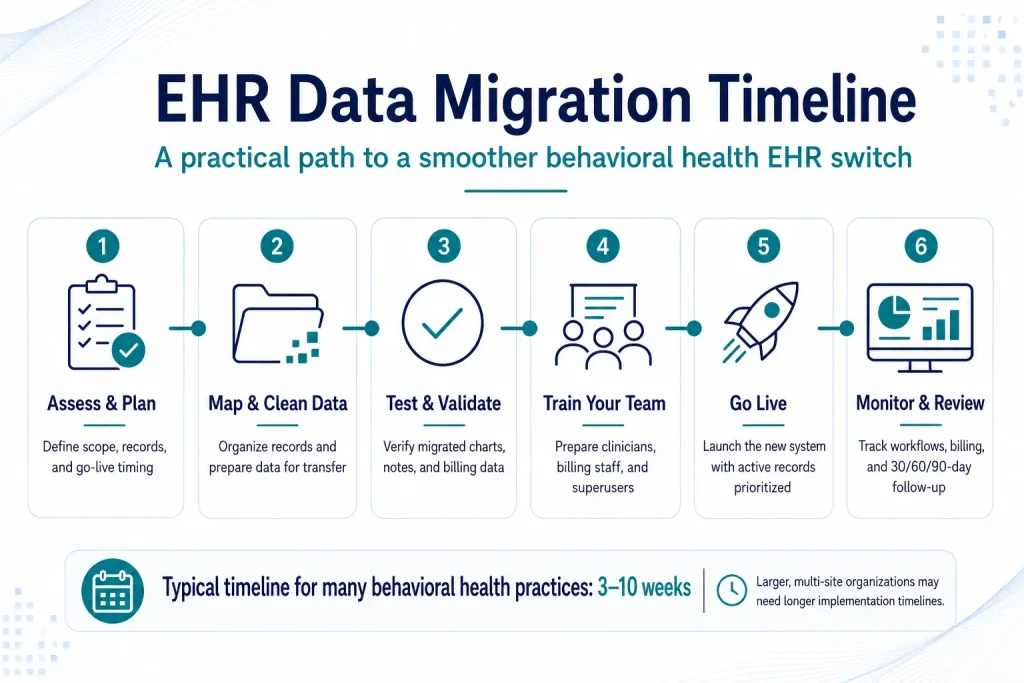
Most behavioral health practices can expect a complete data migration — planning, mapping, testing, training, and go-live — to take three to ten weeks, depending on data volume and whether the move is manual, electronic, or a hybrid of the two.
That timeline is shorter than what larger, multi-site behavioral health organizations typically experience. Agencies and community mental health centers often plan on a fuller six-month-to-one-year timeline from vendor selection to go-live, broken roughly into one to three months of planning, one to two months of contracting, three to six months of implementation and configuration, and a one-month go-live window — with optimization continuing for another one to three months after that. A solo or small group practice switching between established cloud EHRs will typically land at the faster end of the overall range.
Productivity doesn’t snap back immediately at go-live, either. Reductions in scheduled visits of 10–20% are common in the first few weeks after a switch, and most practices report it takes one to six months to return to full productivity on the new system — faster for staff who adapt quickly, slower for practices with more customization or higher caseload complexity.
Clinical Disruption Costs
Three questions matter most here, and you should be able to answer all of them before you sign a contract:
- Will you still be able to access historical notes after the switch? Most vendors support importing prior documentation, but not every record needs to live in the active system — older or closed cases can often be archived rather than migrated, which reduces both cost and clutter.
- How will continuity-of-care documentation be handled for active clients? Treatment plans, risk assessments, and recent progress notes for clients currently in care need to be available without a gap, even if older history migrates on a slower timeline.
- What happens to clients with active treatment plans mid-switch? The safest approach is reconciling every active case — current diagnoses, open treatment plans, upcoming reviews — before cutover, so nothing falls through the gap between systems.
Billing Continuity Costs
This is the category practices worry about most, and the one where vague vendor reassurances cause the most damage.
- In-flight claims don’t disappear, but they do need attention. You generally don’t need to re-enroll with payers when you switch EHRs, but you do need to notify payers of the change and have your clearinghouse reconfigure your EDI claims and ERA remittance connections.
- A parallel billing cycle — running both systems’ claims output side by side for two to four weeks — is the most common way practices catch configuration errors before they affect revenue.
- Medicare and Medicaid billing has its own checkpoint: every NPI submitting eligibility transactions needs a valid HETS EDI enrollment on file, and that enrollment doesn’t automatically follow you to a new system or clearinghouse.
- ERA and EOB history — your record of how claims were actually paid — doesn’t always migrate cleanly into a new system’s reporting tools. Decide in advance whether you need that history live in the new system or simply archived and retrievable.
Compliance Costs
Behavioral health records carry extra sensitivity, and migration is a moment where compliance gaps are most likely to open up.
- Any vendor that creates, receives, maintains, or transmits PHI on your behalf — including a data migration contractor — needs a signed Business Associate Agreement before they touch your data.
- Audit trails need to survive the move. If a payer or accreditor asks who accessed or modified a record and when, that history should still be answerable after migration, not just before it.
- Historical documentation still has to meet your state’s record retention requirements even if it’s archived rather than actively migrated — “we switched systems” isn’t a defense against a missing record during an audit.
Every cost above is real. But none of it is being weighed against the right baseline if you’re only comparing it to “staying put for free.” Staying on a system that doesn’t fit behavioral health workflows has its own price tag — it’s just spread out monthly instead of arriving all at once, which is exactly why it’s so easy to underestimate.
Documentation time is the clearest example. Clinicians on platforms not built around behavioral health templates routinely lose hours each week to workarounds — copy-pasting between fields, customizing templates the system should have included natively, re-entering information the platform won’t carry forward. At a modest estimate of three hours a week per clinician and a $100/hour billing rate, that’s roughly $14,000 a year in lost capacity per clinician, or close to $70,000 a year for a five-clinician practice — every year you don’t switch, not just the year you do.
Billing denial rates tell a similar story. Industry benchmarks put initial claim denial rates for behavioral health in the 10–20% range, compared with roughly 5–10% for general medical claims — a gap driven in large part by systems that weren’t built around behavioral health CPT codes, modifiers, and payer rules. Every denied claim that requires rework costs staff time on top of the revenue it delays.
Then there’s staff turnover. Documentation burden is one of the most consistently cited contributors to clinician burnout in behavioral health, and burnout is expensive to replace — in lost productivity during the gap, in recruiting and onboarding costs, and in the institutional knowledge that walks out the door with every departure.
None of this shows up on an invoice. It shows up in your schedule, your denial reports, and your turnover rate — which is exactly why it’s the cost most practices underweight when deciding whether switching is “worth it.”
How to Minimize Switching Costs: A Practical Framework
You can’t eliminate every cost of switching EHR software, but you can control how much disruption the transition creates. The practices that switch most smoothly usually treat migration as a phased project: clarify what needs to move, protect billing continuity, train the right people early, and monitor the first few months closely so small workflow issues don’t become expensive long-term problems.
Before You Switch
- Audit your current data. Decide what actually needs to migrate into the active system versus what can be archived. Not every record from the last decade needs to live in your new EHR on day one.
- Set a go-live date strategically. Avoid your busiest billing period, the start of a new payer year, or any stretch where your team is already stretched thin.
- Brief your team early. Staff who understand why the switch is happening — and what’s in it for them — adapt faster than staff who find out the week of go-live.
- Choose your migration method deliberately. Electronic migration is faster for high data volumes but needs thorough testing; manual entry works for smaller, cleaner datasets; most practices land on a hybrid of the two.
During the Switch
- Run parallel systems for the minimum viable overlap — typically two to four weeks, not months. Longer overlaps multiply training burden and cost without meaningfully reducing risk.
- Prioritize active client records and in-flight claims first. Historical, closed-case data can follow on a slower timeline.
- Designate an internal implementation lead — and identify a few “superusers” per role (clinical, billing, front desk) who get extra training and can field day-to-day questions from colleagues.
After the Switch
- Set a 90-day review point on the calendar before you go live, not after problems surface.
- Track billing metrics — denial rate, days in A/R, claim volume — against your pre-switch baseline so you can tell the difference between normal adjustment and a real configuration problem.
- Resolve workflow gaps as they’re identified. Small friction points compound quickly if they’re left for “later.”
What Good Migration Support Actually Looks Like
Not every vendor treats implementation the same way, and the quality of that support is often the real difference between a manageable switch and a painful one. When you’re evaluating a new EHR, ask specifically about:
- Data migration assistance: Does the vendor offer structured help — assessment, data mapping, testing — or are you exporting a file and hoping for the best?
- Onboarding timeline: What does the vendor’s own estimate look like for a practice your size, and does it match the three-to-ten-week range that’s typical for behavioral health migrations?
- Training resources: Is training role-specific (clinicians, billing staff, front desk), or one-size-fits-all?
- Dedicated implementation support: Is there a named contact during the transition, or a general support queue?
- What the first 30, 60, and 90 days look like: A vendor who can describe this concretely — not just “we’ll be here if you need us” — has done this before and knows where practices typically get stuck.
ICANotes’ migration process follows a structured six-step framework built around these questions: assessing and planning the migration with your team, mapping and cleaning data before it moves, choosing the migration method (electronic, manual, or hybrid) that fits your data and timeline, testing and validating records before go-live, training staff with a superuser model for ongoing support, and monitoring the system after launch with a vendor follow-up scheduled in the weeks after go-live. As a CEHRT-certified, HIPAA-compliant EHR built specifically for behavioral health, ICANotes is also built to keep the compliance side of a migration — audit trails, documentation standards, payer requirements — intact through the transition, not just the data itself.
If you want to see what that looks like for your own practice, you can start a free trial or schedule a personalized demo.
Start Your Free Trial
See Whether a Behavioral Health EHR Can Lower the Cost of Staying Stuck
Switching EHR software comes with planning, training, and data migration considerations. But staying on a system that slows down documentation, billing, and compliance can be even more expensive over time.
Try ICANotes free for 30 days and explore a behavioral health-specific EHR built to support clinical documentation, billing workflows, and compliance needs from one connected platform.
Use your trial to evaluate:
- Behavioral health documentation workflows
- Billing and practice management tools
- How the platform fits your team’s daily process
- Whether switching could reduce long-term workflow friction
Is Now the Right Time to Switch EHR Software?
Timing won’t eliminate the costs above, but it meaningfully affects how disruptive they feel.
| Easier Windows to Switch | Harder Windows to Switch |
|---|---|
| Start of a new calendar or fiscal year | Mid-year, especially during active Medicaid or Medicare audits |
| End of your current contract term | During unusually high caseload periods |
| A seasonally slower clinical period | Immediately after significant staff turnover |
If you’re choosing between “switch now” and “wait,” weigh that against the cost of waiting described in the Hidden Cost section above — a system that’s actively costing you documentation time and denied claims doesn’t get cheaper to tolerate just because the calendar is inconvenient. The honest answer for most practices is to plan toward the next easier window rather than rushing into a harder one — but not to let “no perfect time” become “no time.”
Planning Your Own Switch
Switching EHR software is never free, and any honest accounting will tell you that. But the costs are knowable in advance, and they’re costs you control through planning — unlike the slow, compounding cost of staying on a system that wasn’t built for how behavioral health practices actually document, bill, and treat.
Frequently Asked Questions About Switching EHR Software
How much does it cost to switch EHR software?
+
For a behavioral health practice switching between cloud-based, subscription EHRs, the realistic range is usually a few hundred to a few thousand dollars in direct setup and migration costs, plus the value of staff time spent training and adjusting. General EHR cost guides citing $20,000+ implementations are typically describing custom, on-premise builds for larger healthcare organizations — a different category of system than most behavioral health private practices use.
How long does EHR data migration take?
+
Most behavioral health practices can expect a complete migration — planning, data mapping, testing, training, and go-live — to take three to ten weeks. Larger, multi-site organizations and agencies often plan on a longer six-month-to-one-year timeline from vendor selection through full optimization.
Can I access my old records after switching EHR?
+
Yes, in most cases. You can typically migrate active and recent records directly into your new system and archive older or closed-case records separately, which keeps your new EHR uncluttered while preserving access for compliance and continuity-of-care purposes. Confirm with your new vendor how archived records remain retrievable, and for how long, in line with your state’s record retention requirements.
What happens to my billing when I switch EHR software?
+
You generally don’t need to re-enroll with payers, but you do need to notify them of the change and have your clearinghouse reconfigure your EDI claims and ERA remittance connections. A parallel billing cycle — running both systems’ claims for two to four weeks — is the most common way to catch configuration issues before they affect revenue. Medicare requires a valid HETS EDI enrollment on file for every NPI used for eligibility checks, which should be confirmed as part of the switch.
Is it worth switching EHR software mid-year?
+
It can be, but it’s harder than switching at a more natural breakpoint — the start of a new year, the end of a contract term, or a seasonally slower stretch. Mid-year switches are riskiest during active Medicaid or Medicare audits or unusually high caseload periods. If your current system is actively costing you documentation time and revenue through denials, that ongoing cost may outweigh the disruption of a less-than-ideal timing window — but it’s worth making that comparison explicitly rather than defaulting to “wait.”
How do I move my patient records to a new EHR?
+
The process generally follows six steps: assess your current data and plan the migration with your new vendor, map and clean your data before it moves, choose a migration method (electronic, manual, or hybrid) suited to your data volume, test and validate the migrated records before go-live, train your staff — ideally with a few “superusers” per role — and go live with a monitoring period and vendor follow-up in the weeks after launch.
Recent Posts




Jordan Sternberg
Head of Sales